
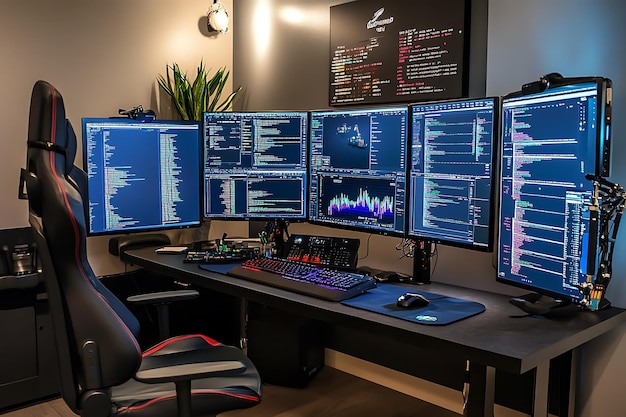
Entering the world of proprietary trading can be a thrilling but intimidating experience—especially for new traders beginning their first prop firm journey. Perhaps the most important tool in this arena is MetaTrader 5 (MT5), arguably one of the most multifaceted, fast, and feature-rich trading platforms available today. While its interface may be familiar to most traders, not everyone knows how to set it up effectively to meet the unique demands of trading under prop firm conditions.
Whether you trade forex, indices, or commodities, the way you configure your platform can greatly affect your performance. This guide will walk you through the essential steps to set up MetaTrader 5 for a clean, efficient, and rule-compliant trading experience.
Why MetaTrader 5?
MetaTrader 5 is a high-end multi-asset trading platform offering advanced technical analysis, algorithmic trading, and highly customizable trade management tools. For traders operating under the tight guidelines of a prop firm, MT5’s capabilities are invaluable.
It includes a range of integrated tools for risk management, charting, and order execution—all of which are crucial when you’re working with limits such as maximum drawdown, daily loss caps, and minimum trading days. A well-configured MT5 platform helps prevent violations of these rules, reducing the risk of account suspension or loss of funding.
1. Install MetaTrader 5
Begin by downloading the MT5 terminal from a secure and reputable source. After installation, launch the platform and log in using the account credentials provided by your broker or fund manager.
Make sure you’re connected to the correct server, as some accounts may be tied to specific live or demo environments. You can confirm your connection by checking the lower right-hand corner of the terminal—an active connection is indicated by a green signal bar.
2. Customize the Workspace
A clean and customized trading workspace improves focus and decision-making speed. Close unnecessary windows like Market Watch or Navigator if you’re not using them immediately. Arrange your chart windows according to your preferred instruments and timeframes.
To save your layout, go to File > Profiles > Save As and name your profile. This allows you to instantly load your workspace whenever you start trading, saving valuable time.
3. Chart Setup and Timeframes
Charts are the foundation of technical trading. To open one, right-click any symbol in the Market Watch panel and select Chart Window.
Customize your chart by:
- Removing grid lines and adjusting background color (Right-click > Properties).
- Choosing your preferred chart type—candlestick, bar, or line.
- Setting key timeframes such as 1-minute (M1), 15-minute (M15), 1-hour (H1), or daily (D1), based on your strategy.
Use the Templates feature to save your chart settings and indicators. You can then apply your custom setup across other charts without repeating configurations.
4. Add Technical Indicators
MT5 comes with a wide array of technical indicators like Moving Averages, RSI, MACD, and Bollinger Bands. These tools are critical for traders looking to operate within prop firm risk constraints while targeting high-probability trade setups.
To add an indicator:
- Go to Insert > Indicators, or drag one from the Navigator panel.
- Adjust the input parameters and colors to suit your trading plan.
If your strategy relies on custom indicators, you can import them into MT5. However, test them thoroughly in a demo environment before applying them to a live or funded account.
5. Turn On Risk Management Tools
In prop trading, risk control is essential. MT5 enables you to set stop-loss, take-profit, and position size directly within the trading window—critical tools to help avoid breaching daily or total drawdown limits.
Here’s how to get started:
- Enable One-Click Trading by going to Tools > Options > Trade tab.
- Use consistent stop-loss and take-profit levels that reflect your risk-reward standards.
- Use scripts or Expert Advisors (EAs) that automatically calculate position size based on a fixed percentage of account risk.
If you’re uncertain about how to size your trades, consider installing a simple position size calculator script into your terminal.
6. Track Trades with the Toolbox
Press Ctrl + T to open the Toolbox, which provides a full view of your:
- Open positions
- Account balance, equity, and margin
- Trading history
This section helps you monitor vital metrics such as equity-to-balance ratio, which is especially important when dealing with trailing drawdown rules. Keep a close eye on these figures to maintain compliance and avoid accidental violations during volatile market moves.
7. Use the Journal and Experts Tabs
Found within the Toolbox, the Journal and Experts tabs log all platform activity and trading events. The Journal records login attempts, errors, and server messages, while the Experts tab displays feedback from any scripts or EAs you’re running.
Review these logs regularly to catch bugs, disconnections, or misconfigurations before they cause financial damage. This is especially helpful when trading with automation or high-frequency strategies.
8. Enable Notifications and Alerts
MT5 allows you to set up custom alerts and mobile notifications—an essential tool when one mistake can put your funding at risk.
To create an alert:
- Right-click on the chart or Terminal panel, then choose Create Alert.
- Define a condition such as a price level being reached.
- Choose how you’ll be notified: sound, pop-up, or push notification.
You can also sync the platform with the MT5 mobile app to receive alerts on your phone, ensuring you stay connected even when you’re away from your trading desk.
Conclusion
Setting up MetaTrader 5 properly is more than just a technical task—it’s the foundation for a successful prop trading career. With the right configuration, MT5 becomes a powerful tool that supports fast execution, disciplined risk management, and real-time performance monitoring.
Whether you’re a beginner or optimizing your workflow, small adjustments in your MT5 setup can lead to more consistent performance and fewer costly errors. Build your ideal trading environment, stick to your risk limits, and let MT5 help you convert your trading plan into real-world results.
MOST COMMENTED
Business
Critical Warnings What to Avoid When Cleaning Your Rental Bond in Melbourne
Other
Menghadirkan Sensasi Kasino Ke Rumah Anda Dengan Bermain Online
Other
Metode Optimal Untuk Meraih Kemenangan Di Game Slot Online Pilihan Utama
Gaming
Link Game Online Tanpa Iklan, Main Lebih Nyaman!
Gaming
Hargatoto Insights: Sympathy Lottery Damage Trends And Online Total Game Platforms