
Vector logos have become a cornerstone in modern branding and design. Their importance goes beyond aesthetics—they play a critical role in ensuring high-quality print results.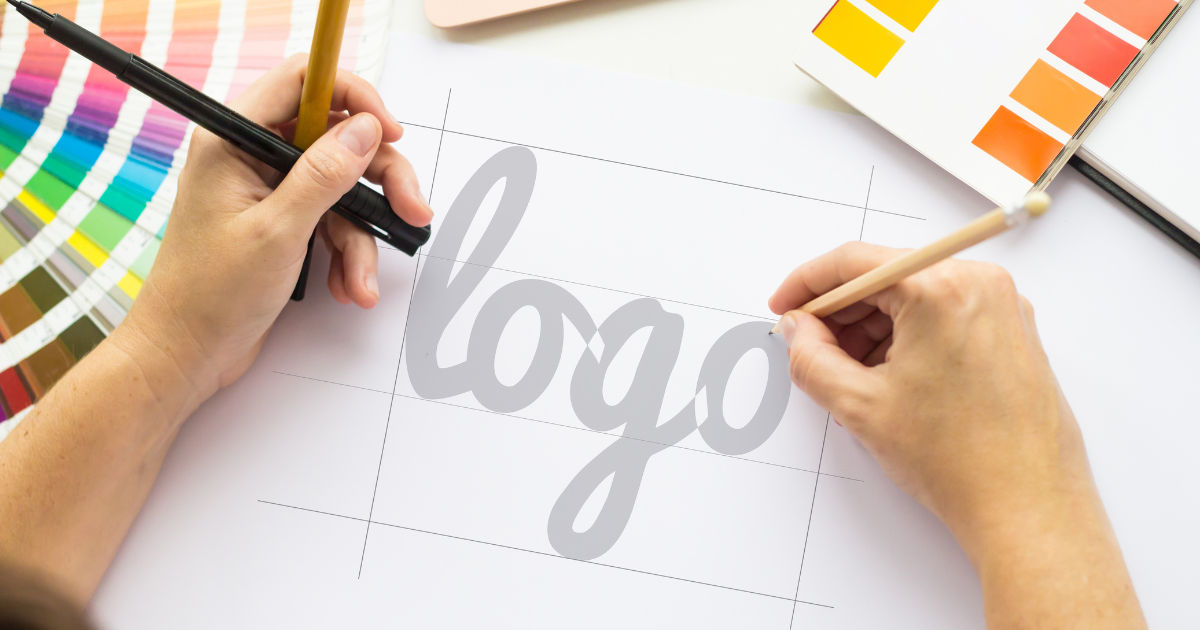
Whether you are printing business cards, banners, flyers, or large billboards, using vector logos can make a significant difference in clarity, consistency, and professionalism.
In this guide, we will explore how vector logos improve print quality, why they are preferred over other formats, and practical tips for maximizing their benefits.
Understanding Vector Logos
Before diving into print quality, it’s essential to understand what vector logos are. Unlike raster images, which are made up of pixels, vector logos are created using mathematical equations that define shapes, lines, and colors. This means vector logos can be scaled infinitely without losing clarity. Whether you shrink them to the size of a business card or enlarge them for a billboard, they maintain sharp edges and crisp details.
This property alone makes vector logos invaluable for print. When a logo is pixel-based, enlarging it for print often results in blurry or jagged edges. Vector logos, however, adapt perfectly to any size, ensuring your branding always looks professional.
Advantages of Vector Logos in Print
1. Scalability Without Loss of Quality
One of the most significant advantages of vector logos is scalability. Print projects often require different sizes of the same logo. For example, a company might need its logo on a small promotional item like a pen, as well as a large banner for trade shows. Raster images may look fine at a small scale but can become pixelated when enlarged. Vector logos retain their clarity, providing a professional look at any size.
2. Precise Colors and Shapes
Vector logos allow for precise color management, which is crucial for print. Designers can specify exact color values using Pantone, CMYK, or RGB systems, ensuring that printed materials match brand standards. In addition, vector shapes are mathematically defined, so every curve and line remains perfectly smooth in print. This precision prevents inconsistencies and preserves the integrity of the brand identity.
3. Easy Editing and Customization
Vector logos are editable, making it simple to adjust design elements before printing. You can change colors, resize elements, or tweak shapes without degrading quality. This flexibility is particularly useful when preparing multiple print materials with slight variations of the same logo.
4. Reduced File Sizes
Contrary to what some might think, vector files are usually smaller than high-resolution raster files. A small file size is easier to manage, share, and send to printing services, making the print production process more efficient.
5. Compatibility With Professional Printing
Most professional printers prefer vector logos because they can be easily converted into high-resolution formats suitable for large-scale printing. Printers can also separate colors more accurately in vector files, which helps maintain quality across different materials and substrates.
Common File Formats for Vector Logos
Vector logos are saved in specific formats designed to maintain scalability and editability. Some of the most common formats include:
-
AI (Adobe Illustrator) – Widely used for professional design work.
-
EPS (Encapsulated PostScript) – Compatible with most printers and design software.
-
SVG (Scalable Vector Graphics) – Ideal for web use and digital print applications.
-
PDF (Portable Document Format) – Maintains vector properties and widely accepted by printers.
Choosing the right file format is essential for print. For example, AI and EPS are standard for large-format printing, while SVG and PDF work well for digital or smaller-scale print.
Vector Logos vs. Raster Logos in Print
Understanding the difference between vector and raster logos is crucial for print quality.
Raster Logos
Raster logos are composed of pixels. When printed at their original size, they can look sharp and detailed. However, when scaled up, pixels become visible, causing blurriness or jagged edges. Raster formats include JPEG, PNG, GIF, and BMP. They are suitable for web use but are often problematic for professional printing.
Vector Logos
Vector logos use geometric shapes instead of pixels. This allows infinite scalability without quality loss. Whether printed in small or large formats, vector logos maintain smooth lines and precise colors, making them ideal for all print applications.
Why Print Quality Matters
The quality of your printed materials reflects the professionalism of your brand. Blurry or pixelated logos can give a poor impression and reduce brand credibility. Vector logos ensure that every printed item, from brochures to billboards, looks sharp and polished, maintaining brand consistency and consumer trust.
How Vector Logos Enhance Specific Print Applications
Business Cards
Business cards are often the first impression a person has of your brand. Vector logos ensure that your logo appears sharp, even in small sizes. This attention to detail shows professionalism and helps your brand stand out.
Flyers and Brochures
Flyers and brochures often include multiple logos and images. Vector logos maintain their quality when printed in full color, ensuring every design element is crisp. This consistency helps communicate your message clearly and professionally.
Large Banners and Posters
Large-format printing is where vector logos truly shine. Raster logos often become pixelated when enlarged, but vector logos remain perfectly sharp. This is crucial for outdoor advertising, trade shows, and events where first impressions matter.
Apparel and Merchandise
Vector logos are ideal for printing on clothing, mugs, pens, and other merchandise. Screen printing, embroidery, and heat transfer methods often require clean, scalable designs, which vector logos provide. This ensures that your branding looks professional, regardless of the material.
Packaging
Packaging design demands precision. A vector logo ensures that your logo prints clearly on boxes, labels, and wrappers. Sharp edges and accurate colors help your product stand out on the shelf and maintain brand consistency.
Preparing Vector Logos for Print
Proper preparation is essential to maximize the benefits of vector logos in print. Here are some key steps:
1. Choose the Right Color Mode
For print, vector logos should use CMYK color mode rather than RGB. CMYK ensures accurate color reproduction in physical materials, while RGB is suited for digital screens.
2. Maintain Correct File Resolution
Although vector logos are scalable, any raster elements included should have high resolution (300 DPI or higher) to prevent quality loss.
3. Use Outlines for Fonts
When printing, fonts included in your vector logo may not be available on the printer’s system. Converting fonts to outlines ensures that text remains intact and preserves design integrity.
4. Simplify the Design
Complex vector logos with too many intricate details may not print well at very small sizes. Simplifying your logo for print ensures clarity and recognizability across all materials.
5. Test Print
Before mass printing, always request a test print. This allows you to check colors, sharpness, and overall appearance to ensure the final product meets expectations.
Tools for Creating Vector Logos
Creating a high-quality vector logo requires the right software. Some of the most popular tools include:
-
Adobe Illustrator – Industry standard for professional vector design.
-
CorelDRAW – Popular for print and sign-making applications.
-
Inkscape – Free and open-source vector design software.
-
Affinity Designer – Affordable alternative for vector-based design.
These tools provide the precision, flexibility, and editing capabilities needed to create vector logos optimized for print.
Common Mistakes to Avoid With Vector Logos
Even with vector logos, mistakes can compromise print quality. Here are some common pitfalls:
-
Using Raster Elements – Mixing raster images into vector files can reduce print quality.
-
Ignoring Bleed and Margins – Always account for print bleed and safe zones to prevent cutting off important parts of the logo.
-
Overcomplicating the Design – Too many elements can become unclear at small sizes or in certain printing processes.
-
Wrong Color Mode – Printing in RGB instead of CMYK can result in color shifts and unexpected results.
Avoiding these mistakes ensures that your vector logo prints flawlessly across all materials.
Case Study: Vector Logos in Action
Consider a company that rebranded its logo from a raster image to a vector format. Before the change, their business cards and banners often appeared blurry, and colors were inconsistent. After switching to vector logos:
-
Business cards printed with crisp, readable text.
-
Large banners maintained sharp edges, even when enlarged tenfold.
-
Packaging colors matched brand standards precisely.
-
Printing costs decreased due to smaller, more manageable file sizes.
This case study demonstrates how vector logos enhance print quality and consistency across all marketing materials.
Conclusion
Vector logos are essential for high-quality printing. Their scalability, precision, and flexibility make them superior to raster logos for print applications of all sizes. By using vector logos, brands can ensure that their materials—from business cards to billboards—remain sharp, professional, and visually consistent. Proper preparation, color management, and design practices further enhance print quality, allowing companies to present a polished and trustworthy image.
Investing in vector logos is not just about design aesthetics—it is a strategic decision that supports brand integrity, consistency, and professionalism. Whether you are a small business or a large corporation, vector logos are a practical and essential tool for achieving superior print quality.
MOST COMMENTED
Business
Critical Warnings What to Avoid When Cleaning Your Rental Bond in Melbourne
Other
Menghadirkan Sensasi Kasino Ke Rumah Anda Dengan Bermain Online
Other
Metode Optimal Untuk Meraih Kemenangan Di Game Slot Online Pilihan Utama
Gaming
Link Game Online Tanpa Iklan, Main Lebih Nyaman!
Gaming
Hargatoto Insights: Sympathy Lottery Damage Trends And Online Total Game Platforms